PRGR HS 130-A vs Shot Scope LM1: Which Is Better? (October 2026)
Choose the PRGR HS 130-A for app-free use and club-speed practice without a ball, or the Shot Scope LM1 for its screen, session types and app history. Both measure club speed, ball speed, smash factor, carry distance and total distance.
On this page (6 sections)
Choose the PRGR HS 130-A for app-free use and club-speed practice without a ball, or the Shot Scope LM1 for its screen, session types and app history. In this PRGR launch monitor vs Shot Scope LM1 comparison, both cover core speed and distance data, but they differ in power, display and session tracking.
The PRGR runs on AAA batteries and does not need Wi-Fi, Bluetooth or an app. The LM1 has a 3.5 in color screen, selectable session types and a free app with lifetime session history.
Both measure club speed, ball speed, smash factor, carry distance and total distance. The LM1 does not display spin, and spin is not among the PRGR's stated metrics.

PRGR launch monitor vs Shot Scope LM1: what is the main difference?
The PRGR keeps practice self-contained, while the LM1 adds a screen and app-based session history. Your choice depends on whether you want a straightforward setup or more ways to review sessions.
The PRGR uses Doppler radar and stores 500 past swings in memory. It runs on AAA batteries and does not require a phone app.
The LM1 shows data on its color screen and can sync to the Shot Scope app. The free app provides lifetime session history without subscription fees.
If you want to see data without pairing a phone, the PRGR is a direct fit. If you want selectable session types and past shots in an app, the LM1 offers those options.
For more context on the second monitor, see our Shot Scope LM1 review. It covers the LM1's features and where they may suit a practice routine.
Which is better for speed training?
Both support speed training, and the PRGR measures club speed with or without a ball. The LM1 also has a dedicated training mode that works with clubs and speed sticks.
The PRGR can suit speed sessions where you don't plan to hit a ball. It also supports use with baseball, tennis, soccer and hockey.
The LM1's speed training mode lets you select a session type for training with clubs or speed sticks. It may suit you if you want speed work alongside range or on-course sessions.
A third option is the Voice Caddie SC200 Plus, which has a swing-speed mode that works without a ball. Its voice output may suit you if spoken feedback is useful during practice.
How do their shot data and displays compare?
Both provide feedback on core shot metrics, while the LM1's color screen and app offer a defined way to review sessions. The LM1 does not display spin, and spin is not among the PRGR's stated metrics.
The PRGR tracks club head speed, ball speed, smash factor, carry distance and total distance. Its 500-swing memory stores past swings on the device.
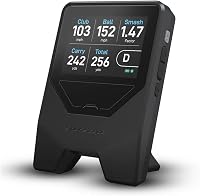
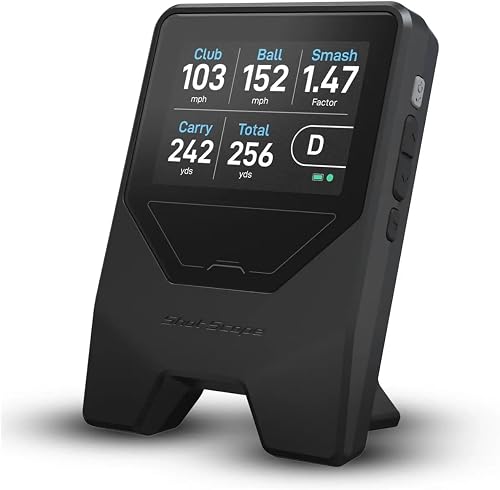
The LM1 measures club speed, ball speed, smash factor, carry distance and total distance. Its 3.5 in color screen shows data without requiring a phone or tablet at the range.
The LM1 can sync session history to the free Shot Scope app. The PRGR stores past swings in its on-device memory.
If spin data is part of your decision, neither monitor's stated metrics support choosing it for that feature. Compare models that explicitly display spin.
Do the monitors need an app or subscription?
The PRGR needs no app, Wi-Fi or Bluetooth, while the LM1 includes a free app with no subscription fees. The LM1 also displays shot data on its own screen.
The PRGR is designed for standalone use: turn it on, place it in position and practice. Its description says it does not require calibration or a phone app.
The LM1 displays shot data directly on its screen. Use the app to view lifetime session history, not as a required live display.
This distinction matters if you want app access to review sessions. Our guide to launch monitors with and without subscriptions explains what to check when ongoing app costs matter.
How do power and weather resistance compare?
The PRGR uses AAA batteries, while the LM1 provides 5+ hours of battery life per charge and recharges over USB-C. The LM1 is IPX3 rated, and the PRGR is IP54 rated and described as water resistant.
The PRGR's battery format may be convenient if you keep spare AAA batteries on hand. The LM1's rechargeable battery avoids battery swaps, but you'll need to plan charging around longer practice days.
The ratings use different protection standards, so they don't provide a direct comparison of rain performance. Follow each product's instructions and use it within its stated rating.
For more background on measurement approaches, read how golf launch monitors work. For a broader look at portable choices, see portable golf launch monitors for the range.
Which one should you choose?
Choose the PRGR for app-free use and club-speed practice without a ball; choose the LM1 for its screen, session options and app history. Their shared core metrics make training and session review the main decision points.
Pick the PRGR if you value AAA power, simple operation and memory for 500 swings. Pick the LM1 if you want a color display, selectable session types, USB-C charging and free app history.
If voice feedback is your main preference, compare the Voice Caddie SC200 Plus as well. For a wider view of models and features, use our golf launch monitor comparison chart.
Our score weighs specs, features and buyer feedback against what you're shopping for.
Frequently asked questions
Does the PRGR HS 130-A or Shot Scope LM1 measure spin?
The LM1 does not display spin, and spin is not among the PRGR's stated metrics. The PRGR measures club speed, ball speed, smash factor, total distance and carry distance.
If spin data is essential, compare monitors that explicitly display it.
Can both launch monitors measure swing speed without a ball?
Yes. The PRGR measures club head speed with or without a ball, and the LM1 has a dedicated speed training mode for clubs and speed sticks.
Choose based on whether you prefer the PRGR's AAA-powered, app-free approach or the LM1's screen and app history.
Does the Shot Scope LM1 need a phone to show shot data?
No. The LM1 displays data on its 3.5 in color screen, so you don't need a phone or tablet to view shots during practice.
The free app is an extra way to review session history, with no subscription fee required.
Which launch monitor is simpler to set up?
The PRGR is turned on and placed in position, and its description says no calibration is needed. For the LM1, select a session type and place it about a driver's length behind the ball.
Follow each product's instructions for placement and use.