Can You Use a Launch Monitor When Hitting Into a Net?
Yes, you can use a launch monitor when hitting into a net if the device has enough room to read the shot and you set it up as directed. Check its indoor requirements, ball needs, and app or screen setup before you start.
On this page (7 sections)
- Can you use a launch monitor for hitting into a net?
- How do radar and camera launch monitors differ indoors?
- Does a net change launch monitor accuracy?
- What setup helps a launch monitor work with a net?
- What kind of net should you use indoors?
- What should you check before hitting balls into a net?
- Which setup should you choose for indoor net practice?
Yes, you can use a launch monitor when hitting into a net if you follow the unit's placement and indoor setup requirements. The net catches the ball, while the monitor measures shot data from its sensors.
A net doesn't guarantee that every monitor will work in every room. Check the space behind or beside the ball, the lighting, and any ball requirements before you choose a setup.
Can you use a launch monitor for hitting into a net?
Yes, a launch monitor can read shots into a net, provided it can see or track the ball under the conditions its maker requires. Radar and camera based units use different positions and may need different amounts of clear space.
A net makes short indoor practice possible, but it also stops the ball before it can travel down a range. The monitor estimates or measures the shot using its sensors, so the result depends on the monitor and the setup.
For an overview of sensor types and tradeoffs, see how golf launch monitors work. If you're choosing a unit for a room or garage, our guide to launch monitors for a home golf simulator compares options for that kind of setup.
What does a launch monitor need to read shots into a net?
It needs the clear space, view, and ball conditions specified for that model. A radar unit often sits behind the ball and tracks the shot toward the net; a camera based unit may sit beside the ball and capture the strike.
Don't assume that a monitor's portability means it can fit close to a wall. Measure the hitting area and check the instructions for device position, ball-to-net distance, lighting, and any required marked balls.
How do radar and camera launch monitors differ indoors?
Radar units track shots through space, while camera units capture images around impact. That difference affects where each monitor sits and what can interfere with its view or tracking.
A short flight into a net may affect some measurements more than others. Read how radar golf launch monitors work and what a camera-based launch monitor is to understand the setup differences.
Where should you place a radar monitor?
Place a radar monitor where its instructions specify, with the ball and net aligned in its tracking area. Leave the space behind the ball clear if the unit sits there, and avoid placing gear where it blocks the shot path.
The Rapsodo MLM2PRO uses Doppler radar and dual cameras, and it captures metrics such as spin rate, spin axis, carry distance, club speed, and launch angle. It connects to a smartphone and suits golfers who want app-based feedback in a home practice area.
The Rapsodo MLM2PRO comes with 3 Callaway RPT Chrome Soft X balls. The product description says it is designed for indoor and outdoor use.
Check the setup instructions for room and ball requirements before relying on particular readings.
Where should you place a camera based monitor?
Give a camera based unit a clear view of the ball and impact area. Side placement may be needed, and shadows, clutter, or a net edge in the camera's view can make setup harder.
Don't place the monitor where a mishit could strike it. Keep cables and phones outside the swing path, and confirm whether the camera needs additional light in your room.
Does a net change launch monitor accuracy?
A net can change the conditions a monitor uses to calculate some shot results, but it doesn't automatically make the readings useless. Trust depends on the monitor's design, required setup, and the metrics you want to track.
Ball speed and club speed are different from a full ball-flight result. Carry or total distance may be calculated from measured inputs, so a short indoor flight isn't the same as watching a ball land on a range.
See are golf launch monitors accurate? for the factors that affect readings. For help interpreting the values, use golf launch monitor numbers explained.
Can you get spin data when hitting into a net?
You can get spin data only if your monitor and ball setup support it. Some systems rely on camera capture, marked balls, or other specific conditions for spin measurements.
The Rapsodo MLM2PRO captures spin rate and spin axis among its 15 metrics. Its included balls are Callaway RPT Chrome Soft X balls.
Confirm which balls the monitor requires for spin readings, and use those when you want to compare shots.
What setup helps a launch monitor work with a net?
Follow the monitor's setup directions, measure the room, and check the connection before your practice session. A net, mat, monitor, and phone or display all need to fit without entering the swing path.
- Measure the available length and width, including the space behind or beside the ball.
- Place the net according to its instructions and leave room between it and the hitting area.
- Position the monitor at the specified angle and distance.
- Check lighting, ball type, and any app or device connection requirements.
- Hit a few shots and confirm that the monitor records them before starting a longer session.
For a step-by-step setup approach, see how to set up a golf launch monitor. If you plan to add projection, compare golf impact screens and simulator enclosure kits.
Will the PRGR HS 130-A work for net practice?
The PRGR HS 130-A is a radar option for golfers who want speed and distance feedback. It measures club head speed, ball speed, smash factor, and carry and total distance.
The PRGR HS 130-A requires no Wi-Fi, Bluetooth, or app, and runs on AAA batteries. Its pocket-sized design suits a practice corner where you want fewer connected devices, though you still need to follow its placement directions.
The PRGR HS 130-A can measure club speed without a ball, which can be useful for swing-speed practice. It doesn't provide the same metrics as the Rapsodo MLM2PRO, so choose based on the feedback you want.
What kind of net should you use indoors?
Choose a net or enclosure that fits your swing area and catches shots across the likely miss pattern. A basic net may suit a clear practice space, while side and top coverage can help contain mishits.
The GoSports Practice Hitting Net is 10 x 7 ft and includes a ball return feature and carrying case. It suits golfers who want a portable net for home practice.
The mat is not included.
For more coverage, the GoSports Range Cage 10x8 has side and top netting, plus an impact screen that can serve as a projector backdrop. The launch monitor and projector are not included.
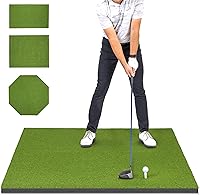
Compare golf simulator hitting mats with your net footprint before you order. Leave enough room for the monitor, mat, golfer, and safe swing clearance.
What should you check before hitting balls into a net?
Check the net's position and condition, the monitor's placement, and the space around your swing. Secure the setup according to its instructions and make sure people, pets, windows, and breakable items are outside the shot area.
A net does not replace equipment instructions or checks for wear. Stop if the net shifts, tears, or fails to catch shots, and inspect the frame and fabric before the next session.
Don't place a monitor in front of the ball or inside the club's swing path. Keep loose cables and phones away from the hitting area.
Which setup should you choose for indoor net practice?
Choose the Rapsodo MLM2PRO if you want radar and dual-camera tracking with smartphone features and can meet its setup requirements. Choose the PRGR HS 130-A if speed and distance feedback without an app better fits your practice.
Pick the GoSports Practice Hitting Net for a portable net with a ball return, or the GoSports Range Cage 10x8 if you want side and top netting with an included impact screen. Measure the space first, then match the monitor's placement needs to the net and mat.
For more options by room and use, browse our golf launch monitor guide.
Frequently asked questions
Can you use a launch monitor when hitting into a net?
Yes, many launch monitors can be used with a net if you meet the device's setup requirements. Check the required space behind or around the ball, lighting and ball type, then position the net far enough away to catch shots safely.
A net limits ball flight, so use the monitor's data and app features for feedback.
How far should a net be from a launch monitor?
There is no single distance that works for every launch monitor. Some units read from behind the ball and need clear space around the device, while camera based units may sit beside the ball and need a clear view of impact.
Follow the exact placement instructions for your model and keep the net beyond the ball's flight path.
Do launch monitors work indoors with regular golf balls?
Some do, but ball requirements vary by model and by the data you want. Check whether your monitor needs marked or specific balls for spin readings, and whether indoor use needs extra lighting or room.
A net stops the ball quickly, so distance estimates come from the monitor rather than a full outdoor flight.
Is a hitting net enough for a home golf simulator?
A hitting net can catch shots during practice, but a simulator setup may also need a suitable launch monitor, mat, software, and enough room. An impact screen can serve as a projection surface in some setups.
Confirm the monitor's space needs and the net or enclosure's safe hitting area before buying.