9 Best Golf Impact Screens for Launch Monitor Practice (October 2026)
The best golf impact screens for launch monitor practice include the GoSports Impact Screen for GoSports net owners, the aikeec 7mm Impact Screen for adjustable tension, and the Durbles Triple-Layer Impact Screen for layered construction.
On this page (9 sections)
- How we chose golf impact screens for launch monitor practice
- Best golf impact screens for different simulator setups
- What should you measure before buying a golf impact screen?
- Does screen material change how you should choose?
- How should you mount and tension an impact screen?
- Should you buy a screen or a full enclosure?
- How do you care for and use a golf impact screen?
- What mistakes lead to a poor screen setup?
- Verdict: which golf impact screen fits your practice bay?
The GoSports Impact Screen is the best golf impact screen for most home launch monitor setups if you have the compatible ELITE net or want a simple four-point mount. Choose aikeec for a square screen with many mounting points, or Durbles for a layered design with cords included.
A screen has to fit your frame, projector image and hitting position. Plan for the space behind it, too, including a suitable backing net or panel where recommended.
If you’re still choosing the monitor itself, start with our guide to launch monitors for a home golf simulator. For the surface under your feet, compare our golf simulator hitting mats, and see how a frame kit can simplify the build in our guide to golf simulator enclosure kits.
Our picks at a glance
-
1

-
2
-
3

- 4
 Best for odd-size framesCheck it
 - 5
 Best for compact practice baysCheck it
 - 6
 Check it
Aerixtron 3D Mesh Impact Screen
Best for wide mesh bays - 7
 Best for custom frame sizesCheck it
 - 8
 Best for ready-to-mount kitsCheck it
 - 9
 Check it
Hliemoin 3D Mesh Impact Screen
Best for square mesh bays
How we chose golf impact screens for launch monitor practice
A useful impact screen fits the frame you can build and gives you a practical way to mount it. We compared each option’s dimensions, material, attachment points, included hardware and setup details that matter in a home simulator.
The scores reflect how well each screen’s stated features match common home setup needs, such as a compact square bay, an unusual frame size, or mounting hardware in the package. Maker claims about durability, noise reduction and projection quality are presented as claims, not as guarantees.
Before you buy, measure the frame’s inner width and height. A screen that is too small can leave exposed gaps, while an oversized one may bunch or need a different mounting layout.
| Product | Best for | Screen size | Material | Mounting | Our score |
|---|---|---|---|---|---|
| GoSports Impact Screen | GoSports net owners | 108 x 82.5 in | High-density woven polyester | 4 corner grommets or GoSports ELITE net | 8.9 |
| aikeec 7mm Impact Screen | adjustable tension | Polyester | Perimeter grommets for cords, rope or carabiners | 8.6 | |
| Durbles Triple-Layer Impact Screen | layered construction | 8.5 | |||
| amazgolf Impact Screen | odd-size frames | Polyester | 8.3 | ||
| aikeec HD Impact Screen | compact practice bays | Flannel | Reinforced grommet holes and bungee cords | 8.1 | |
| Aerixtron 3D Mesh Impact Screen | wide mesh bays | 3D air mesh polyester | Stainless steel grommets and included bungees | 8.0 | |
| Keoltuo 3D Mesh Impact Screen | custom frame sizes | 3D air mesh polyester | Grommets and bungee cords | 7.8 | |
| aikeec 5mm Impact Screen | ready-to-mount kits | Nylon | 7.6 | ||
| Hliemoin 3D Mesh Impact Screen | square mesh bays | 3D air mesh | Reinforced edges and included bungees | 7.4 |
Best golf impact screens for different simulator setups
The right pick depends on your room width, frame style and mounting plan. These nine screens are ordered by score, with each one suited to a different priority.
GoSports Impact Screen: Best for GoSports net owners
- 108 x 82.5 in screen
- High-density woven polyester
- 4 corner grommets
- Fits GoSports 10 x 7 ft ELITE net
A defined screen size and 4 corner grommets make it a straightforward option for a compatible GoSports net or wall mounting.
Pros
- Exact screen dimensions
- Works with real golf balls
- Fits the GoSports 10 x 7 ft ELITE net
Cons
- Only 4 mounting points
- Net is sold separately
The GoSports screen is the simplest fit in this group if you already have, or plan to use, the brand’s 10 x 7 ft ELITE net. Its impact surface measures 108 x 82.5 in, with four corner grommets for wall mounting or hanging.
The screen is made from high-density woven polyester and is compatible with real golf balls. The four-point layout keeps mounting straightforward, but it gives you fewer places to adjust tension than a screen with grommets around the perimeter.
Measure the net opening and the room before setting the projector. The screen area and overall item dimensions differ, so use the usable screen surface when planning the image.
Choose it if ELITE net compatibility or a simple four-point mounting plan matters most. Skip it if your frame needs many attachment points for fine tension adjustment, or if you need the net included.
aikeec 7mm Impact Screen: Best for adjustable tension
- 7 mm thickened material
- 8.5 x 8.5 ft size
- 40–54 perimeter grommets by size
- Foldable
Its 7 mm construction and many perimeter attachment points suit buyers who want to adjust tension across a square screen.
Pros
- Thickened 7 mm material
- Multiple mounting options
- Can also serve as a movie projection screen
Cons
- A net or panel behind it is recommended
- Creases may need flattening before use
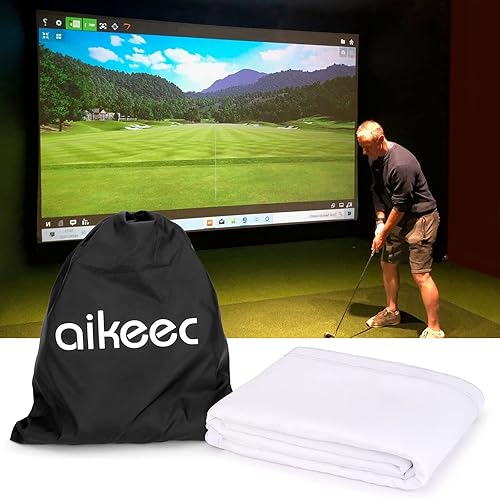
aikeec’s 7 mm screen suits buyers who want a thicker material and more ways to attach it. The 8.5 x 8.5 ft option has 40 to 54 perimeter grommets, depending on the selected size.
You can use bungee cords, rope or carabiners, and adjust how many points are fixed to soften ball impact. aikeec recommends flattening folding creases before hanging to improve the projected image.
The polyester screen is described as 7 mm thickened. aikeec also recommends a net or panel behind it to extend its life, so include that backing in your frame plan.
Choose this screen for a square bay where attachment flexibility matters. Skip it if you need an immediately crease-free image and don’t want to flatten the folded screen before installation.
Durbles Triple-Layer Impact Screen: Best for layered construction
- Triple-layer construction
- 9.8 x 8.5 ft size
- Grommets and bungee cords
- Carrying bag included
The three-layer design combines an HD outer layer, sound-damping middle layer and impact-resistant inner layer, with mounting cords in the package.
Pros
- Three distinct layers
- Bungee cords included
- Carrying bag included
Cons
- No screen width and height orientation stated
- No mounting point count stated
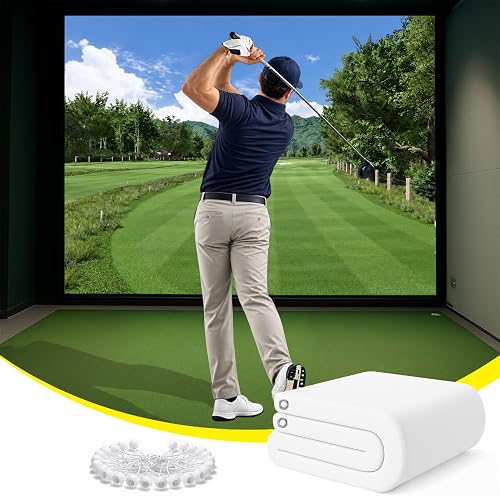
Durbles suits a buyer who prefers layered construction and wants bungee cords in the package. Its three layers comprise an HD outer face, a sound-damping middle layer and an impact-resistant inner layer.
The screen measures 9.8 x 8.5 ft and comes with bungee cords and a carrying bag. That gives you a more complete starting point than a screen that requires you to source mounting cords separately.
Durbles describes the middle layer as damping sound, but that feature cannot determine the sound level in every room. Room surfaces, backing and the rest of the practice bay still affect what you hear.
Pick it when the three-layer layout and included accessories suit your frame. Skip it if you need a clearly specified grommet count or screen orientation before planning the mount.
amazgolf Impact Screen: Best for odd-size frames
- Multiple size options
- Polyester fabric
- 10 elastic ropes and 32.8 ft rope included
- 3 holes around each corner
Several size options and included ropes give buyers flexibility when fitting a screen to a room and frame.
Pros
- Multiple sizes offered
- Mounting ropes included
- Washable screen
Cons
- Confirm the selected size before ordering
- No material thickness stated
amazgolf offers several sizes, which helps if a standard square or rectangular screen does not fit your room. The polyester screen comes with 10 elastic ropes and one 32.8 ft rope.
Three small holes around each corner spread the mounting points around the screen’s corners. The screen is described as washable, a useful feature if golf balls leave marks during regular practice.
The available options include different dimensions, and the selected model is identified as 118 x 98 in. Confirm the exact variant and compare it with the inside of your frame before ordering.
Choose this option if you need a choice of sizes and want mounting rope included. Skip it if you need a stated material thickness to compare, since none is given.
aikeec HD Impact Screen: Best for compact practice bays
- 8.2 x 8.2 ft size
- Flannel material
- Reinforced grommet holes
- Bungee-cord mounting
The 8.2 ft square size can suit a smaller practice bay, and reinforced holes support tensioned mounting.
Pros
- Square size is clearly stated
- Flannel surface
- Installation guidance recommends balanced tension
Cons
- No cords are confirmed as included
- No screen thickness stated
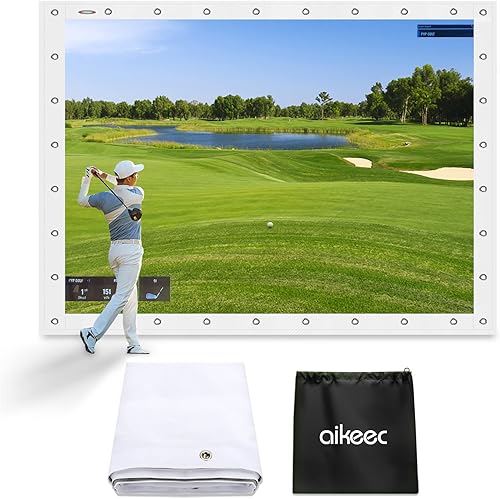
The aikeec HD screen is a smaller square option for a compact practice bay. It measures 8.2 x 8.2 ft and uses a flannel surface with reinforced grommet holes for bungee-cord mounting.
aikeec recommends attaching the corners first, then working evenly around the edges to keep tension balanced. This gives you a clear order of operations and helps avoid pulling one section much tighter than another.
The screen is designed for projector and simulator use. The package details do not confirm included cords, and no material thickness is stated, so plan for mounting hardware and compare its surface area with your projector image.
Choose it when an 8.2 ft square screen fits your room and you want a flannel surface. Skip it if you need the cords in the box or want a stated thickness.
Aerixtron 3D Mesh Impact Screen: Best for wide mesh bays
- 3D air mesh polyester
- 11.8 x 8.8 ft size
- 304 stainless steel grommets
- Bungee cords included
A larger mesh screen with stainless steel grommets and bungees suits a frame with many attachment points.
Pros
- Large stated size
- Bungee cords included
- Can also be used for movie projection
Cons
- Projection results may vary with ambient light and projector resolution
- No layer count stated
Aerixtron is a wide 3D mesh option, measuring 11.8 x 8.8 ft. Its polyester screen includes 304 stainless steel grommets and bungee cords, giving you a defined starting point for a frame with perimeter attachment.
Aerixtron describes the mesh as supporting sound absorption and HD projection. It also notes that the projected image can vary with room light and projector resolution, so check those factors before finalizing the frame position.
The included bungees can simplify setup, and the grommets also allow other attachment methods such as rope or S-hooks. Adjust attachment points around the edges to keep the screen flat.
Choose Aerixtron if your room can accommodate its larger footprint and you want mesh construction. Skip it if you need a smaller screen or a stated layer count.
Keoltuo 3D Mesh Impact Screen: Best for custom frame sizes
- 3D air mesh polyester
- 7 size options
- Bungee cords included
- Stainless steel grommets
Seven size options help with a custom frame, while included bungees and edge grommets support installation.
Pros
- Seven size options
- Mounting cords included
- 3D mesh construction
Cons
- Confirm the selected size
- No screen thickness stated
Keoltuo is aimed at buyers who need a size option for a custom frame. It uses 3D air mesh polyester, stainless steel grommets and included bungee cords.
The brand offers seven sizes, including a stated 11.8 x 8.8 ft option. Confirm the specific size you select, then compare it with your frame’s inside dimensions rather than assuming every option has the same measurements.
Keoltuo says its mesh buffers impact and reduces sound resonance. Your room layout, backing and surrounding surfaces still shape the noise you hear.
Choose it when several size variants help you fit a nonstandard frame and you want bungees included. Skip it if you need a specific thickness or want to avoid checking which size variant is selected.
aikeec 5mm Impact Screen: Best for ready-to-mount kits
- 5 mm thickened screen
- 10 x 8.5 ft size
- 20 ball bungee cords included
- Washable nylon
The 10 x 8.5 ft screen includes 20 bungee cords, which is useful if you need mounting hardware in the same package.
Pros
- 20 bungees included
- Stated 5 mm thickness
- Washable
Cons
- No projector image measurements stated
- A net or panel behind it is recommended
The aikeec 5 mm screen pairs a 10 x 8.5 ft size with 20 included ball bungee cords. Its nylon material and stated thickness give you two concrete points to compare with your frame and mounting plan.
The screen has a three-hole design around the perimeter and a reinforced hook-and-loop border. aikeec recommends adding a net or panel behind it to absorb impact and reduce rebound distance.
Twenty bungees are useful if you need to attach the screen across multiple points. Plan the spacing before mounting so you can spread tension around the frame instead of pulling one edge tight first.
Choose this model if the size and included hardware match your bay. Skip it if you need a smaller screen or a choice of size variants.
Hliemoin 3D Mesh Impact Screen: Best for square mesh bays
- 8.2 x 8.2 ft size
- 3D air mesh
- Bungee cords included
- 304 stainless steel grommets
This square mesh screen includes bungees and reinforced edges, with a stated size that can fit a compact frame.
Pros
- Clear square dimensions
- Bungee cords included
- Mesh construction
Cons
- No material thickness stated
- No grommet count stated
Hliemoin is a square 3D mesh screen measuring 8.2 x 8.2 ft, with reinforced edges, 304 stainless steel grommets and bungee cords. It can fit a compact frame when you want mesh construction and a clearly stated square size.
The brand describes the mesh as reducing impact noise and supporting projector use. Picture quality still depends on the room light, projector position and resolution, and the noise you hear depends on the full setup.
The stated dimensions make the frame check simple. The available details don’t specify a grommet count or material thickness, so plan around the size and attachment points you can confirm.
Choose Hliemoin when an 8.2 ft square mesh screen suits your room. Skip it if you need more detail about thickness or exact grommet spacing before you build the frame.
What should you measure before buying a golf impact screen?
Measure the frame opening, hitting position and projector image before choosing a screen. The screen should cover the planned image area and leave enough room at the edges for secure mounting.
Start with the room’s width and ceiling height, then account for the frame itself. Make sure there’s room for the golfer, mat, launch monitor and projector in their intended positions without crowding one another.
Compare the frame’s inside opening with the screen’s actual width and height. Allow space for the attachment points and tension, and check whether the stated dimensions describe the screen surface or the full item.
Then check your projector’s throw and the image size it can produce at the planned distance. A screen can fit the frame while still being a poor match for an image that is too wide, too tall or positioned too close to the edge.
Room layout matters to launch monitor placement as well. Our guide to launch monitors for hitting into a net covers setup considerations around hitting into a barrier, and our golf launch monitor guide compares monitor types and placement needs.
Which golf impact screen size suits your room?
A square screen works well when the frame opening is close to square, while a wider screen fits a more rectangular bay. The listed options include 8.2 ft and 8.5 ft squares as well as wider screens such as the 11.8 x 8.8 ft models.
Don’t choose by the advertised size alone. Measure the opening inside your frame and confirm the selected size variant, especially on screens offered in multiple dimensions.
Also consider the hitting position, not just the screen. Your stance and swing need clear space, and the screen should cover the area where your projected image will appear.
Does screen material change how you should choose?
Material and construction affect the tradeoffs to consider and the way you mount the screen. Woven polyester, flannel, nylon and 3D mesh differ in the specific features and mounting details offered by these picks.
A thicker or layered design may appeal if you want more material between the ball and the room behind it. That does not replace suitable backing or side protection when your setup needs them.
Mesh designs in this roundup use perimeter grommets, and several include bungee cords. They give you attachment options around the frame, but check the grommet arrangement and included hardware for the exact screen you choose.
Projection quality also depends on room light, projector resolution and placement. Set the image to fit the screen area, then check the picture in the actual room before fixing the frame position.
How should you mount and tension an impact screen?
Use the screen’s grommets and compatible cords or fasteners, then spread tension evenly around the frame. A screen with perimeter grommets offers more attachment choices than one with only four corner points.
The GoSports screen has four corner grommets and is made to connect with its ELITE net. The aikeec 7 mm screen has 40 to 54 grommets depending on size, while other options include reinforced grommets or bungees.
Attach the corners first when that matches the screen’s guidance, then work around the edges. Keep the screen flat without pulling one section much tighter than another; aikeec’s HD screen guidance specifically advises against overtightening.
Check whether cords are included before you plan the installation. Durbles, Aerixtron, Keoltuo, Hliemoin and the aikeec 5 mm screen list bungees in the package, while the GoSports screen’s four-point mount and the other models’ details call for a closer hardware check.
If you are building a frame as well as buying a screen, compare golf simulator enclosure kits. Checking the enclosure dimensions and mounting style first can prevent a mismatch between the frame opening and screen.
Should you buy a screen or a full enclosure?
Choose a standalone screen if you already have a frame or net that can hold it securely. A full enclosure kit makes more sense when you also need the side and top structure around the hitting area.
A screen can work in a garage or multipurpose room, but it still needs secure mounting and room around the hitting area. An enclosure gives you a defined structure to plan around, so compare its dimensions with the room and screen before buying.
For a screen-only setup, the GoSports option is designed to fit the matching ELITE net. Several other screens include bungee cords, which may help if you already have a compatible frame but no mounting hardware.
Don’t assume that a projector screen is all the protection your setup needs. Follow the screen’s setup guidance, allow space behind it where needed, and plan for the rest of the hitting area to contain missed shots.
How do you care for and use a golf impact screen?
Keep the screen clean and follow its specific care guidance. The aikeec 5 mm screen and amazgolf screen are described as washable, while the aikeec 7 mm screen may need creases flattened before it is hung.
Clean golf balls before practice to limit marks on the screen. Check the surface and attachment points periodically, especially after adjusting the mounting tension or moving a foldable screen.
For a folded screen with visible creases, aikeec recommends ironing or flattening it with a heavy object before hanging. Follow the product’s care guidance before applying heat, and give the fabric time to lie flat before setting the projector image.
Keep cords and the area behind the hitting surface clear of people and objects. If you take down a foldable screen, store it without placing sharp or heavy items against the fabric.
What mistakes lead to a poor screen setup?
The most common mistake is buying before measuring the frame. A screen that does not fit the opening can leave gaps or bunch at the edges, and a screen that fits the frame can still be mismatched with the projector image.
Another mistake is assuming all dimensions refer to the usable screen surface. Check the exact size variant and distinguish the impact area from the overall item measurements before you place the frame.
Avoid tightening the screen unevenly. Attach it across the available points and adjust gradually, following the screen’s guidance rather than forcing one edge into place.
Don’t treat a maker’s noise or durability claim as a substitute for room planning. Consider the backing, surrounding surfaces and practice area, and use a suitable net or panel behind the screen where recommended.
Finally, don’t forget the hardware. Confirm which cords or fasteners come with your chosen screen, and make sure the mounting method works with your frame.
Verdict: which golf impact screen fits your practice bay?
Choose the GoSports Impact Screen if you want defined dimensions and a simple four-point mount, especially if you have the compatible ELITE net. Pick aikeec’s 7 mm screen for a square bay with many perimeter attachment points, or Durbles if its layered construction and included mounting gear suit your plan.
For a compact room, compare the 8.2 ft square screens against your frame opening. For a wider bay, consider the 11.8 x 8.8 ft mesh options and confirm that the projector image fits the usable area.
If your frame has an unusual size, start with amazgolf or Keoltuo and verify the exact size variant. If you already own mounting hardware, choose based on dimensions and construction; if not, prioritize a package that includes suitable cords.
Before you order, settle three details: the frame’s inside dimensions, the screen’s attachment method and the projector image size. That short check narrows the best golf impact screen for your setup without paying for a size or mounting feature you can’t use.
Our top 3 picks at a glance
-
1
-
2
-
3
Frequently asked questions
What size golf impact screen should I get?
Choose a screen that fits your frame and leaves enough clearance around the hitting area. Measure the frame's usable width and height, then compare those numbers with the screen dimensions.
The 8.2 ft square options suit different spaces than a wider 11.8 x 8.8 ft screen, so check the actual room before choosing.
Do you need a net behind a golf impact screen?
A net or panel behind the screen can help absorb impact and reduce ball rebound. aikeec recommends a backing net or panel for its 7 mm and 5 mm screens.
Keep the hitting area clear and follow the screen maker's setup guidance for your frame.
How should a golf impact screen be mounted?
Attach the screen to a frame or wall using its grommets and suitable cords, then spread tension around the edges. Some screens include bungee cords, while others need separate mounting hardware.
Avoid overtightening where the maker advises against it, since excessive tension can increase stress on the screen.
Can a golf impact screen show a simulator image?
Yes, these screens are designed to work as projector backdrops for golf simulator practice. The image depends on screen surface, projector placement, resolution and room light.
Check the screen's stated dimensions and your projector throw before building the frame.